 CaptureXRecCaptureXRec
Camera, on your terms
Turning on the camera does not turn on the microphone, and the other way around. Each switch works on its own.
Your camera and your screen are saved together as one video, so there is no second clip to line up.
The floating widget you click to start and stop recording is not included in the video, so it never appears next to your face.
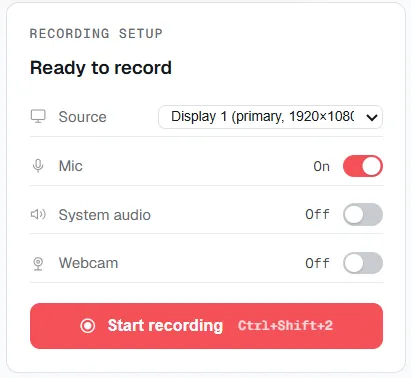
The webcam is its own toggle in the recording panel — on or off, independent of the microphone.
Choose a window, part of the display, or the whole screen.
Turn on the camera. If you want to talk, turn on the microphone too.
Start recording. The camera, the screen and any sound you chose are saved in the same file.
Supported on
Windows 10 (1809+) · Windows 11 · x64 · ARM64
Yes. Both are recorded together, and the webcam has its own switch next to the screen source.
Yes. The webcam and the microphone are separate switches in the recording panel. Turning one on does not turn on the other.
No. The floating widget you use to start and stop recording leaves itself out of every screenshot and recording.
No. They are saved in the same MP4, so there is no separate camera clip to sync.
$12.49, once.
Buy on Microsoft Store — $12.49