
Screen capture & recording for Windows
Take screenshots and record your screen. Easy.
A small button that stays on the edge of your screen. Click once to take a screenshot, click again to record a video. Everything stays on your computer — no account, no tracking.
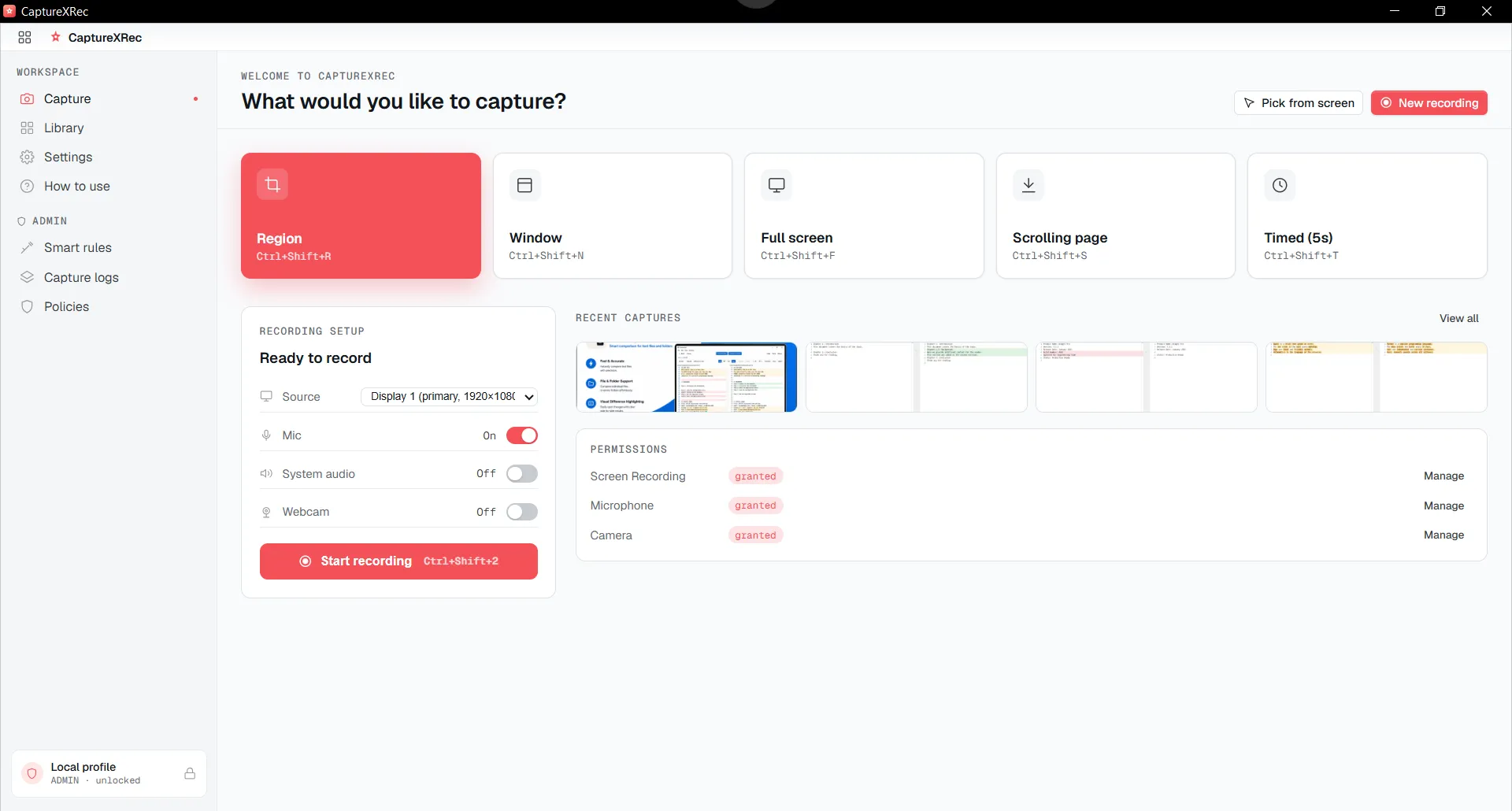
Everything it does
05 groupsCapture
Capture an area, a window or the full screen, plus long scrolling pages. A live size readout shows exact pixel dimensions, even on high-resolution screens. The floating widget is never included in your screenshots or recordings.
Record
Record any display or a single window to MP4. Turn the microphone, computer sound and webcam on or off separately. Pause, resume or cancel at any time.
Annotate & OCR
Draw arrows and shapes, write text, crop and blur. Each mark is a separate layer, so you can change it weeks later. Numbered callouts renumber themselves. OCR copies the text out of any capture so you can search it.
Library
Every screenshot and recording is saved by date. Search by file name, tag or the text inside the image, and filter by type, app or date. Rename, tag, export or delete.
Make it yours
Choose a light or dark theme and an accent colour. Set the widget layout, capture defaults and where files are saved. Every shortcut can be changed, and you are warned if two shortcuts clash.
A closer look
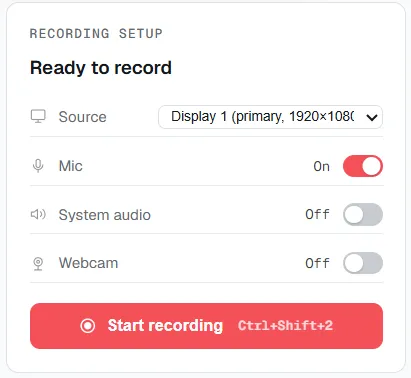
Recording — start a capture with the source, microphone, system audio, and webcam toggled independently.
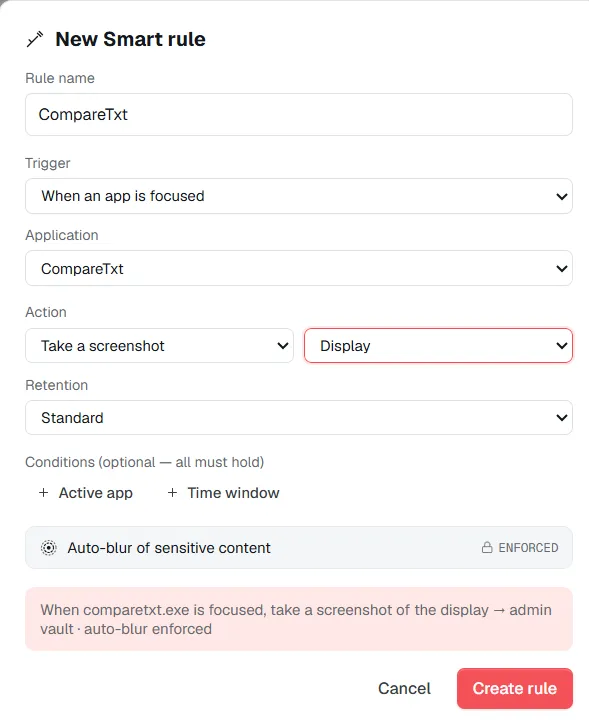
Smart Rule — the admin-only mode for managed machines, with enforced auto-blur and a configurable retention window.
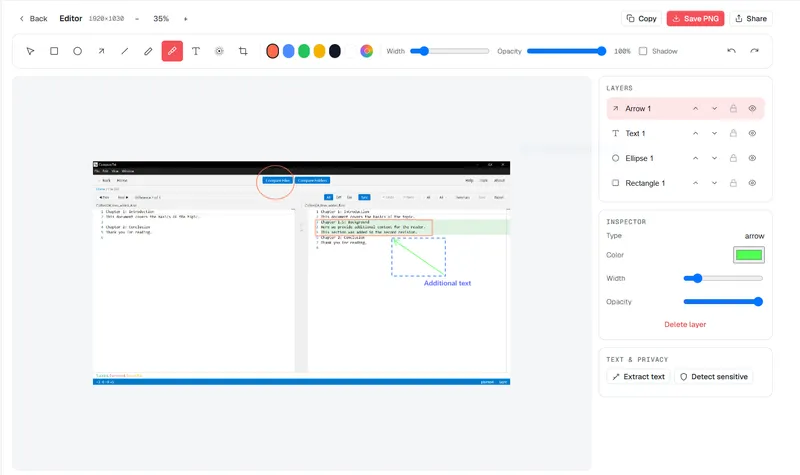
Editor — arrows, shapes, blur, and on-device text extraction, as layers you can revisit.
Who it's for
04 audiencesFour kinds of work, each with its own capture-and-record workflow.
QA & Support
screenshots and recordings QA testers and support turn into complete, verifiable evidence
See workflows →Developers
screenshots and recordings developers turn into reproducible bugs and secret-free tickets
See workflows →Designers
screenshots and recordings designers use to prove exact measurements and share work safely
See workflows →Creators & Educators
screen recordings and screenshots creators and educators turn into finished lessons and course materials
See workflows →Privacy by design
Your screen never leaves your machine.
Capture, record, edit, and search with the network off. Passwords and tokens are automatically detected and blurred at capture time — a strong best-effort safeguard, not a guarantee, so treat anything genuinely sensitive with the same care you always would.
Read the full privacy policy →| What leaves your device | Status |
|---|---|
| Captures & recordings | never |
| OCR text & tags | never |
| Usage telemetry | none |
| Account status | no account |
Smart Rule for managed machines
Anyone being captured always sees a consent badge that cannot be closed. Admin mode is never hidden.
Auto-blur on still captures is enforced and can't be switched off by whoever administers the machine; video clips are the labelled exception.
Every capture is written to a tamper-evident, encrypted, append-only vault.
Rules trigger on the action you define — captured as a still with forced auto-blur, or a labelled un-blurred clip — with configurable retention and an audited export trail.
Ask about deployment$12.49, once.
One payment, yours for good — every capture mode, recording, annotation, OCR, and the library included. No subscription, no seat count, no cloud bill to pass on to you.