 CaptureXRecCaptureXRec
Reads what it captures
On-device OCR (text recognition) reads the words inside a screenshot as soon as you take it. A build number, an error message or a line of settings becomes text you can search later. Nothing is sent anywhere.
Add numbered markers to a screenshot to show a sequence. If you move one or add a new one in the middle, the other numbers update on their own, so you never renumber by hand.
Automatic blurring of passwords and tokens hides them the moment a screenshot is taken. It is a strong best-effort safeguard, not a guarantee, so a quick look before sharing is still worth it.
Smart Rule is an admin-only mode for managed machines. An administrator turns it on and sets a retention window, which is how long captures are kept. Screenshots, single or in a burst, always have auto-blur applied. Video clips are the one exception: they are stored un-blurred and clearly labelled. Everything goes into an encrypted, append-only vault and is kept only for the retention window the admin chose.
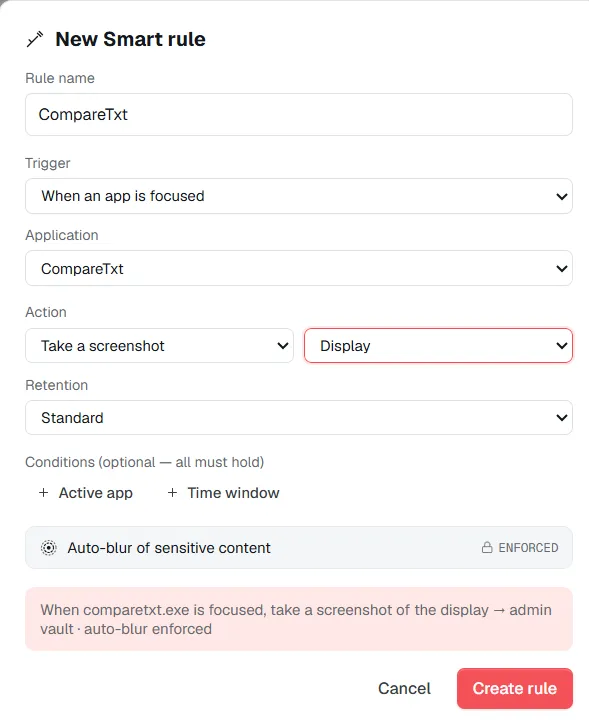
Smart Rule — an admin-only mode for managed machines: enforced auto-blur on stills, a set retention window, and video clips stored un-blurred and labelled as the exception.
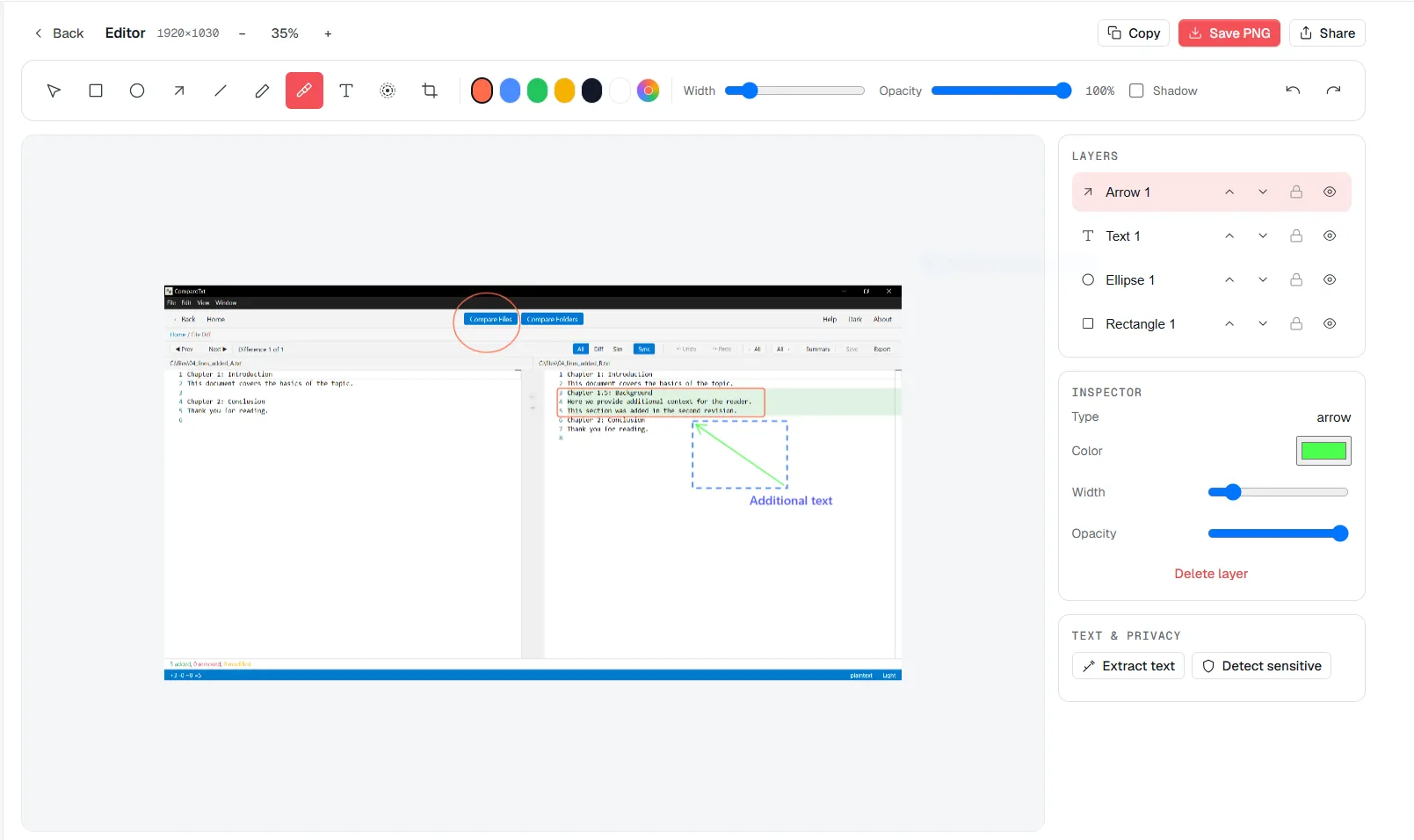
The editor pulls text out of a screenshot on-device and keeps numbered callouts in order as you rearrange them.
Take a screenshot or a scrolling capture as usual, from the floating widget.
On-device OCR reads the text in the image as soon as it is captured, without sending anything to a server.
Add numbered callouts to point at what matters. Insert or move one and the rest renumber automatically.
Search the library later using the exact text OCR pulled out of the image, not just a filename or a date.
Supported on
Windows 10 (1809+) · Windows 11 · x64 · ARM64
It means the app understands what it captures. OCR makes the text inside a screenshot searchable, and callouts renumber themselves as you place them. None of it needs a server.
No. OCR runs entirely on your own computer, and the image never leaves it.
Treat it as a strong best-effort safeguard, not a guarantee. Automatic blurring of passwords and tokens catches most of what it is built to catch, but look at the image before sharing anything sensitive.
Smart Rule is an admin-only feature for managed Windows machines — an administrator enables it, sets a retention window, and enforced auto-blur applies to whatever it records.
No — a rule fires on a trigger you define, forced auto-blur applies to every still it captures, and the output goes to the vault under a retention class instead of the normal library.
$12.49, once.
Buy on Microsoft Store — $12.49